Purpose: Provide SFBU staff a quick, 1-minute guide to enable Zoom AI Companion Meeting Summary during a Zoom meeting and locate the generated summary afterward in the Zoom web portal
Step 1: Open Zoom and start your meeting
Step 2: Click AI Companion on the toolbar.
Step 3: Select the setting icon
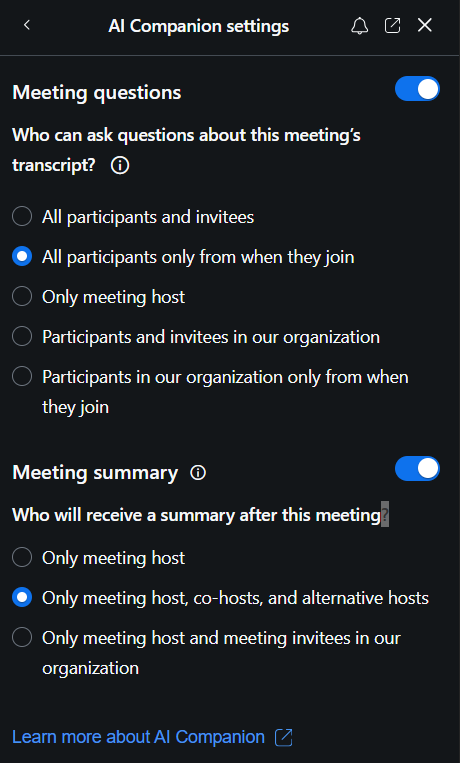
Step 4: Toggle Meeting Summary to ON.
- Select an option from the drop-down menu to select who will receive the meeting summary.
Was this article helpful?
That’s Great!
Thank you for your feedback
Sorry! We couldn't be helpful
Thank you for your feedback
Feedback sent
We appreciate your effort and will try to fix the article